FousWebsite tools for coding agents
Give Claude Code or Cursor a tool for a website with no API
Connect your coding agent to the Fous MCP server, and it can run your methods: one typed call to a website, with the same fields on every run and no browser for the agent to drive. For developers who want a site’s data in Claude Code or Cursor without writing a scraper.
Updated
1. Create an API key
In Studio, open API keys and create a key. Owners and admins of an organization can. Keep it in your shell’s environment as FOUS_API_KEY, never in a repository.
export FOUS_API_KEY="fous_sk_..."
2. Connect the Fous MCP server
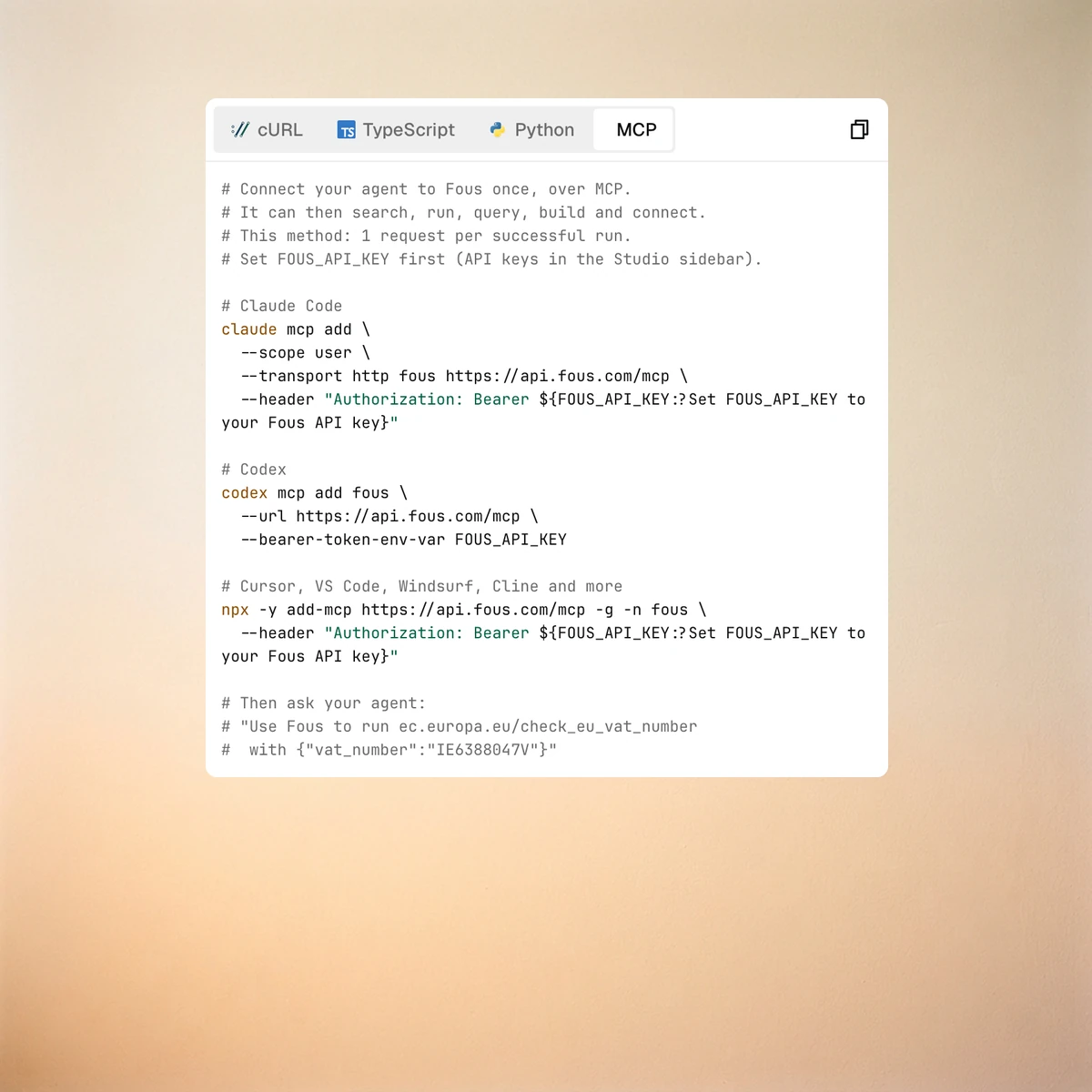
In Claude Code, run this once. It adds Fous for every project and reads the key from your shell.
claude mcp add --scope user --transport http fous https://api.fous.com/mcp --header "Authorization: Bearer ${FOUS_API_KEY:?Set FOUS_API_KEY to your Fous API key}"
In Cursor, put this in ~/.cursor/mcp.json for every project, or in .cursor/mcp.json in a repository for that project only.
{
"mcpServers": {
"fous": {
"url": "https://api.fous.com/mcp" ,
"headers": {
"Authorization": "Bearer ${env:FOUS_API_KEY}"
}
}
}
}
Or give your agent one line, “set up https://fous.com/SKILL.md”: it connects the server and saves the skill that tells it when to use Fous. Then reload the agent so it picks up the new tools.
3. Build a method for the site
Press Build this in Fous at the top of this page, and Studio opens with a request waiting. Name the site and say what your agent needs from it. Fous studies the site, writes the method and tests it on real inputs, usually in about a minute.
On Free, builds start in Studio, and the agent’s build tool answers 403 plan_limit. On a paid plan, the agent can call build itself when none of your methods fits.
4. Ask your agent
Ask for what the site shows, in plain words. The agent finds your method with search or methods, calls run with inputs that fit its schema, and gets back JSON in the method’s output schema.
If the site needs a login, the run answers with a connect_url instead. Open it, sign in once in Studio, two-step codes included, and ask again.
A method that changes something on the site (posts, books, sends) runs only through run_action, which is marked so your agent’s host can ask you first.
Good to know
- What it costs
- Searching is free. A completed run uses 1 credit. Anything that fails is free. Free includes 100 credits a month and 3 builds in all, with no credit card.
- Slow runs
- After about 50 seconds, run answers with status “running” and an id. The agent then calls get_run with that id instead of running the method again.
- Passwords stay in Fous
- Your agent calls Fous with a Fous key, and portal sessions never enter the conversation.
- A shared Claude Code project
- Commit a .mcp.json to the repository instead, and each person’s own FOUS_API_KEY fills the header. The MCP server guide has the file.
In the docs
- MCP server: every client’s setup, the tools, and read-only access for agents that run unattended.
- Docs for coding agents: every page as Markdown, and a prompt for your agent.
- Build a method: follow a build and steer it with messages.
- API keys: create, check, rotate and revoke keys.
Frequently asked questions
Yes. API keys and the MCP server work on every plan. On Free, your agent runs and reads your methods, and builds start in Studio.
Claude Code, Codex, Cursor, VS Code and any other MCP client, over Streamable HTTP with your API key as a bearer header.
No. A run executes the saved method: no AI model decides what to click or where to look, and the output fits the same schema every time.
Give your agent its first method
Build it in Studio with 100 credits a month and no credit card, then let your agent run it over MCP.
Read nextAPI & MCPMethodsFous in n8n, Zapier and MakeClay enrichmentPortal data by emailReplacing a scraper